
During our testing, the login process remained simple and consistent across multiple sections of the website. The Login button stays visible in the top navigation area, allowing players to access their account quickly regardless of whether they are browsing casino games, promotions or sports markets.
| Login Essentials | Details |
|---|---|
| Login Location | Top-right corner of the website |
| Login Method | Email and password |
| Registration Type | Email-based account creation |
| Promo Code Support | Available during registration |
| Mobile Login | Supported on iOS and Android browsers |
| Bonus Selection | Before registration completion |
| Account Verification | KYC may be required before withdrawals |
| Currency Support | AUD and cryptocurrencies |
| Support | Live chat and Help Centre |
How to log in to Vegas Hero
Existing users can access their account through the Login button displayed in the top navigation bar. The process takes only a few seconds once registration has been completed.
Step-by-step login guide
- Open the Vegas Hero website.
- Click the Login button in the upper-right corner.
- Enter the email address linked to your account.
- Type your password.
- Confirm your details.
- Wait for the account dashboard to load.
- Access the casino, sportsbook, cashier or promotions section.
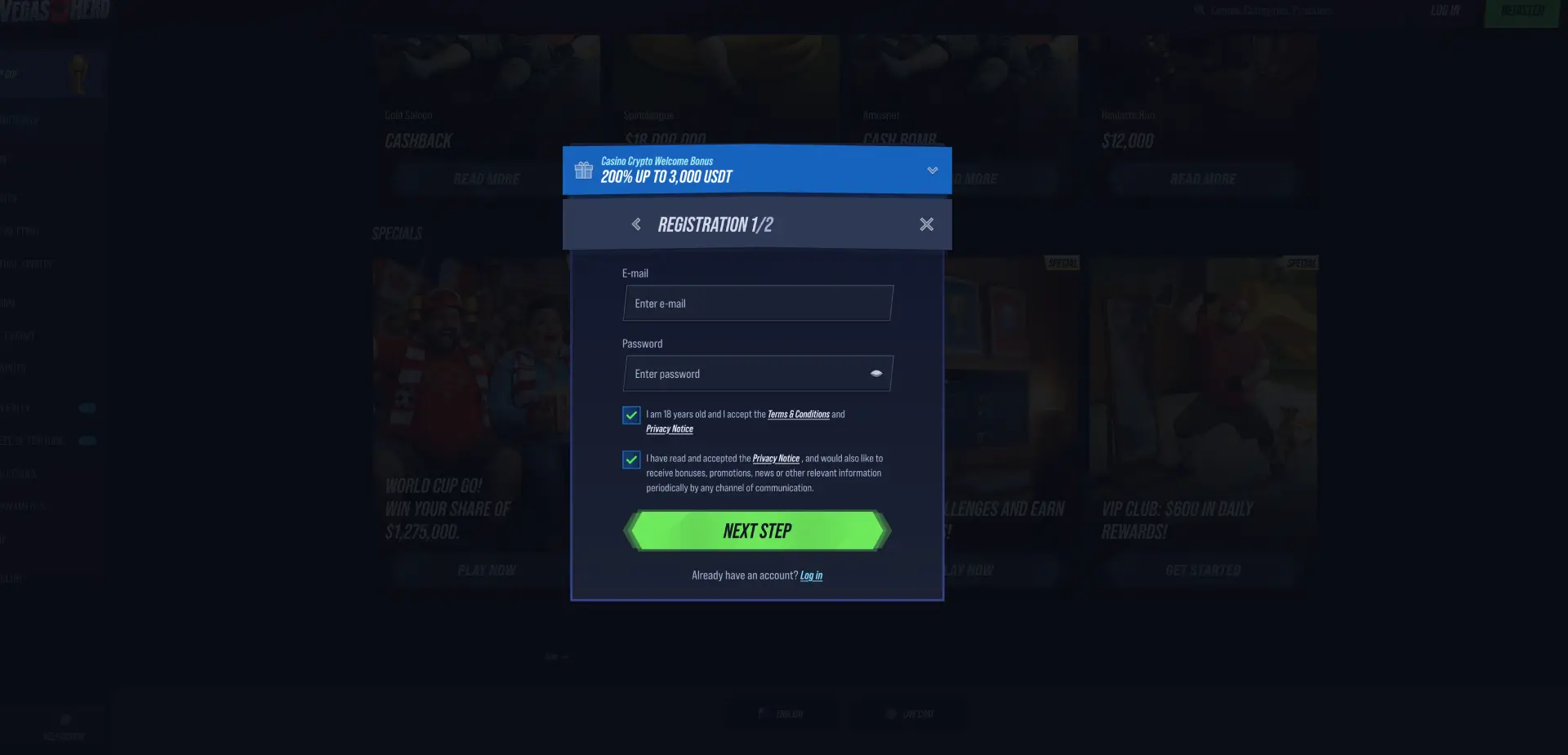
During our Chrome and Safari testing sessions, the login form loaded instantly and redirected to the player dashboard without noticeable delays.
Create a Vegas Hero account
If you do not yet have an account, registration starts from the Register button located beside the login area. Vegas Hero uses a multi-step sign-up process and presents several bonus options before the account is created.
Registration process
- Click Register.
- Select a welcome bonus option.
- Choose from Casino Welcome Bonus, Sport Welcome Bonus, Crypto Casino Bonus, Crypto Sports Bonus, Promo Code or No Bonus.
- Enter your email address.
- Create a secure password.
- Confirm that you are at least 18 years old.
- Accept the Terms & Conditions and Privacy Notice.
- Proceed to the next registration step.
- Complete your personal details.
- Finish account creation.
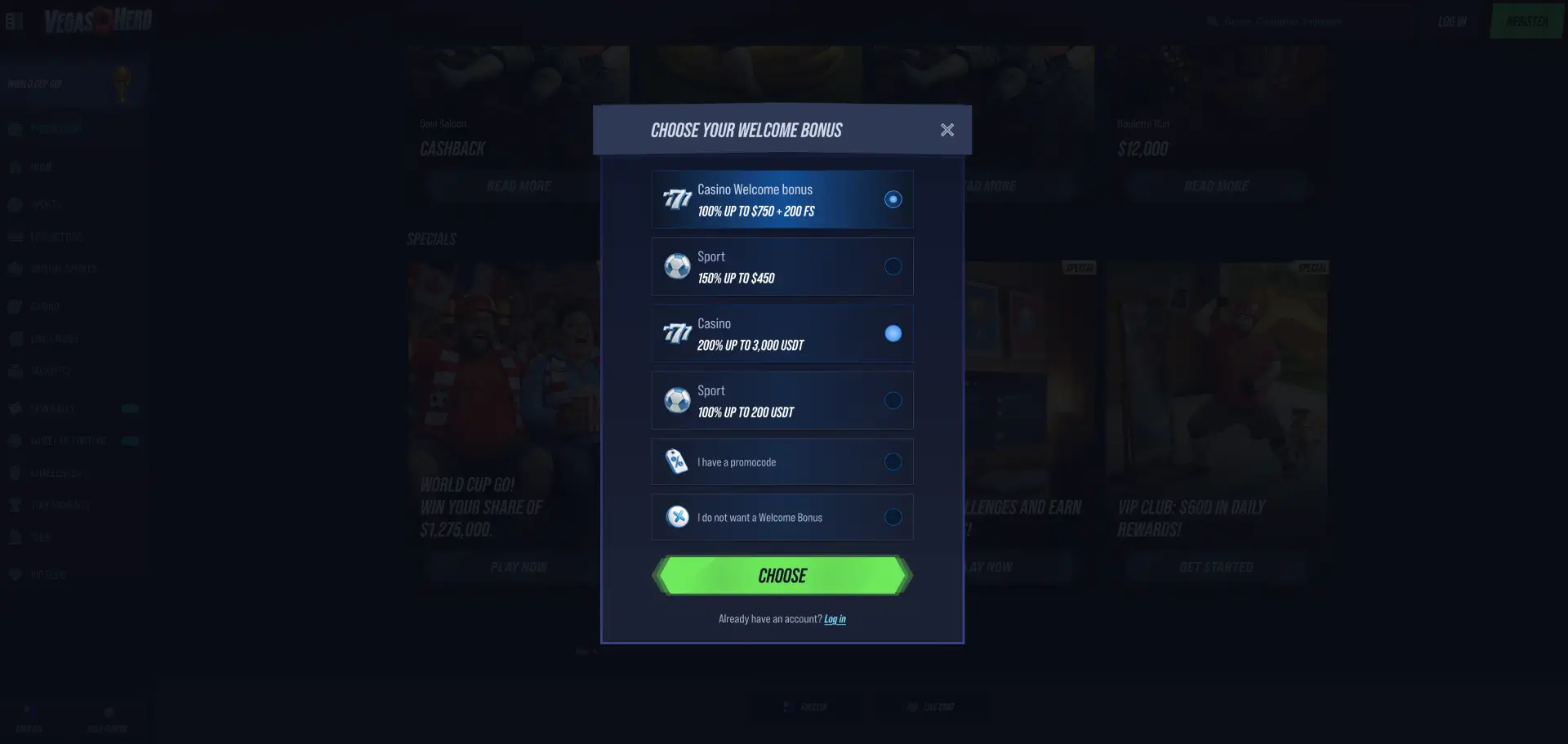
One feature that stood out during our review is the dedicated “I have a promocode” option displayed directly inside the registration window. This makes promotional code activation straightforward without requiring additional navigation.
Secure login practices
Account security starts with good login habits. Players should protect both their password and the email address connected to the account.
- Use a strong password with letters, numbers and symbols.
- Do not share login credentials.
- Avoid logging in on public devices.
- Keep browser software updated.
- Enable security features available through your email provider.
- Log out after using shared computers.
Following these practices helps reduce the risk of unauthorized account access.
Password recovery
If you forget your password, Vegas Hero provides an account recovery process through the login page.
How to reset your password
- Open the login page.
- Select the password recovery option.
- Enter your registered email address.
- Check your inbox for reset instructions.
- Create a new password.
- Return to the login page.
- Sign in using your updated credentials.
Recovery emails usually arrive within a few minutes, although delivery times may vary depending on your email provider.
Vegas Hero login on mobile
Vegas Hero does not require a dedicated app to access your account. The login system functions directly through mobile browsers on Android and iOS devices.
Mobile login tips
- Use Chrome, Safari or Firefox for the best compatibility.
- Save the website to your home screen for faster access.
- Keep your browser updated.
- Use a secure internet connection when accessing your account.
- Allow the browser to remember your username only on personal devices.
During our testing on mobile devices, account access worked smoothly across sportsbook, casino and cashier sections.
Common login issues and solutions
Incorrect credentials
The most common reason for failed login attempts is entering an incorrect email address or password.
- Check for typing errors.
- Verify capital letters and symbols.
- Use password recovery if needed.
Browser cache problems
If the login page loads incorrectly or fails to respond:
- Clear browser cache and cookies.
- Refresh the page.
- Try another browser.
- Disable conflicting extensions.
Verification requests
Some account functions may require identity verification before access to certain features, particularly withdrawals.
Ensure that your account details match the information provided during registration.
Temporary account restrictions
If access becomes restricted, contact customer support through live chat for assistance. Support representatives can review account status and explain any outstanding requirements.
What can you access after login?
Once logged in, players gain access to the full Vegas Hero ecosystem.
- Casino Lobby: pokies, jackpots, table games and instant games.
- Live Casino: roulette, blackjack, baccarat and game shows.
- Sportsbook: pre-match and live betting markets.
- Promotions: welcome bonuses, reload offers and cashback rewards.
- Tournaments: active competitions and prize pools.
- Spin Rally: scheduled promotional events.
- VIP Club: loyalty rewards and member benefits.
- Shop: exchange coins for bonuses and free spins.
- Cashier: deposits, withdrawals and transaction history.
Account verification (KYC)
Like many online casinos, Vegas Hero may require Know Your Customer (KYC) verification before processing withdrawals.
During our review of the cashier and support sections, verification appeared as a standard security measure rather than part of the registration process.
Documents that may be requested
- Passport.
- Driver's licence.
- Government-issued photo ID.
- Recent utility bill.
- Bank statement showing residential address.
Verification helps protect player accounts and supports secure payment processing.
Account security after login
Once signed in, players should regularly review their account details and transaction history. Keeping personal information accurate can help avoid delays when requesting withdrawals or participating in promotions.
If unusual account activity is detected, players should change their password immediately and contact support.
FAQ
How do I access the Vegas Hero login page?
Click the Login button located in the top-right corner of the website.
Can I log in using a mobile phone?
Yes. The login system works through mobile browsers on Android and iOS devices.
Do I need a promo code to register?
No. Promo codes are optional and can be selected through the dedicated registration option.
What information is required for login?
You need the email address and password associated with your account.
Can I change my password?
Yes. Password recovery and reset options are available through the login page.
Will I need KYC verification?
Verification may be required before withdrawals or other account-related actions.
What should I do if I cannot access my account?
Use the password recovery tool or contact customer support through live chat.